
About Website

Showing posts with label Indian Visa Tutorials. Show all posts
Showing posts with label Indian Visa Tutorials. Show all posts
Sunday, February 22, 2015
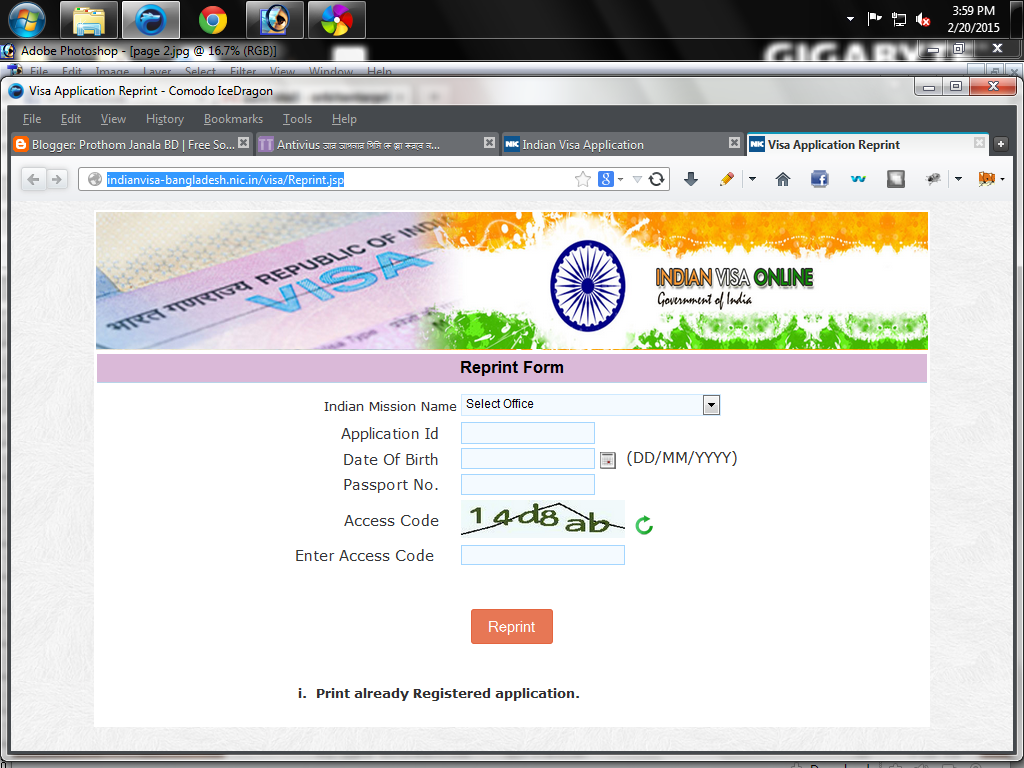

Wednesday, February 11, 2015
Correction Dated PDF file
Correction Appointment Dated PDF file
Have no tension for wrong information in Dated Pdf File.

If have wrong in Appointment Dated PDF file, so no tension.
Now you can Edit Dated Pdf file in Embassy, when days you will go in embassy for submit your Application form. If have wrong in pdf printed file, embassy will be correction that pdf printed file in own responsible of embassy.
Thursday, February 05, 2015
How to make Multifox tab - 1
How to make Multifox tab - 1
If you want to get appointment date, you have to arrange minimum 3-4 tab for 1 temp or bgdd.
So you will have to learn How to make Multi tab or many tab in 1 browser. Now you arrange many tab in 1 browser.
First, you have to install some addons on Mozilla or Comodo IceDragon or Palemoon Browser. Click for Latest Browser Download.
1) autofill forms 1.0.2
2) firebug 1.12.8
3) multifox 2.0.7 (click more, and click off to update)
4) just disable stuff 1.1
5) show selected images 0.17 (click option, and tick always show reload menu item on no-broken images box)
Now go to your browser..
Right button click on blue background of your browser, then click Menu Bar. Now will be show menu item.

Click Tools > then click Add-ons
Tuesday, February 03, 2015
How to get date with Temporary file
How to get date with Temporary file
At first, must Install those ADD-ONS in Mozilla/IceDrago/Palemoon/firefox Developer etc:
autofill forms 1.0.2
firebug 1.12.8
multifox 2.0.7 (click more, and click off to update)
just disable stuff 1.1
show selected images 0.17 (click option, and tick always show reload menu item on no-broken images box)
Second, Make temp file. (see how to make temp file, click this LINK)
Third, go to last page, where write hotel address.
Fourth, Now start `ReloadEvery, 0m & 0s' 8:10 AM till.
then from 8:11 AM, write Hotel name, Hotel Address, State, District & Telephone No. (Email not mandatory)
Sunday, February 01, 2015
How to solve System in under Maintenance
How to solve System in under Maintenance

If you face this problem when fill up application or make temp file... My suggest Please complete your fill up application or make temp file within from 12:00 pm to 5:00 pm.
Because... maximum applicant fill up or make temp file in this time 6:00 pm to 10:00 am. but website can allow 1400 applicant at a time, that at a time 4500-6000 applicant fill up or make temp their application. so in this reason maximum applicant face this problem.
Saturday, January 31, 2015
How to solve session expire of temp file
How to solve session expire of temp file
First, make temp file...
How to make temp file to click this link....
Then go to your browser.....
.jpg)
Now click Tools menu.
.jpg)
Write reload every in search box of right side in browser, then press Enter.
.jpg)
Now click install ReloadEvery.
.jpg)
Now click Restartnow for restart your browser.
.jpg)
Now go to again Tools > Add-ons, then click Extensions from left side of browser, you will show now ReloadEvery Add-ons, now install ok.
.jpg)
Now make your temp file and go to last page where you write Hotel address, But this time don't write Hotel Address & information, that page will be blank, then click right button of your mouse in your tab, now go on by mouse Reload Every>Custom, click Custom.
.jpg)
Now write 0 in minute, 0 in Seconds, then click ok.
.jpg)
8:20 AM (for Dhaka), you can write hotel Address that page & work for date.
This work is done...
Another Tips... Click for download
STAY EVERYDAY WITH US FOR MORE TIPS....
My More Lesson:
How to fill up application form of Indian visa.
How to get a date of Indian visa.
How to Make Temp File.
How to get date with Temporary file.
How to make Multifox tab - 1.
How to make Multifox tab - 2.
How to create opera profile creator.
How to get date use iMacros software.
How to solve session expire.
Tuesday, January 27, 2015
How to Make Temp file - Method-3
How to make temp file of Indian application form.
Firstly, open this link... http://indianvisa-bangladesh.nic.in/visa/,
Click 'Online Visa Application', now will be show a page:
.jpg)
then input your information as it is passport same.
.jpg)
Like below:
Then Click to Continue.

Now fill up this application page, like this system:
Now save Temporary Application ID of above what that you will be use next time this form fill up again of this passport.... This is your Temp ID, copy+paste, then this ID in another notepad then click Save and Continue button.
.jpg)
Now will show next page.
1st write present address: as same of your electricity bill or gas bill or telephone bill address.
2nd permanent Address: as same of your permanent address of passport. as same of father and mother name. do not keep blank any box.

3rd: If you married, then select married but if not then select single.
4th: Select your Present Occupation. If have no option your present occupation box, then select Other and then write your occupation name in next below blank box.
Now Select Save and Continue for next page.
.jpg)
Place likely to be visited: type any place like kolkata, darjeeling, mumbai, delhi etc
Duration of Visa (in Months): 1 or 6 or 12
No. of Entries: single or multiple, single for once time journey and multiple for more time journey.
Purpose of Visit: If you selected tourist in 1st page then you have to select tourism, If you selected Medical, then select Medical Self Treatment etc.
Expected Date: You have to selected in first page.
Port of Arrival in India: Select your port where you will enter India port, like Air or Road or Rail etc.
Port of Exit from India: Select your port where you will enter Bangladesh port, like Air or Road or Rail etc.
5th: You have ever Visited India before, so select Yes, nor select No. If Yes, Write Address where address you have visited india, like any hotel address in India. Then write your previous Indian visa no., Type of Visa, Visa Issue date, Visa mission name like Dhaka/Rajshahi/Chittagong.

In India Previously been refused: No.
Last 10 Countries: You have visited any country without India in Last 10 years, then write only name of them countries.
SAARC Country Visit Details: No
Reference Name in India : Any hotel or home name, address and phone of India.
Reference Name in Bangladesh: Any hotel or home name, address and phone of Bangladesh.
Upload Image: Click Upload Image for upload your image now.
::: image size :::
image size will be 600x600 pixel is best with black & white background.
(How to make photo for Indian visa click this link) publish will be soon.
Format - JPEG
Size - Minimum 10 KB, Maximum 1 MB
The minimum dimensions are 350 pixels (width) x 350 pixels (height).
Recent front facing photograph with white background to be uploaded by the applicant.
The application is liable to be rejected if the uploaded photograph are not clear and as per specification.
.jpg)
Then click Brows button.
.jpg)
Go to your computer where saved your photo. Now select your customized photo, then click Open button.
.jpg)
You will show your picture name in right side of Brows.
Then click Upload Photo button.
.jpg)
You will show your photo with crop symbol. Now Fill handle/drug your mouse till end of your photo for full showing.
.jpg)
Like this; Now click Confirm button
.jpg)
then you will be show ok box and click ok.
.jpg)
Now you will show your picture in your form.
Then click Save and Continue button.
.jpg)
Now you will show your full information in this page.

.jpg)
.jpg)
If all information are correct then click Verified and Continue button, nor click Modify/Edit for editing your wrong information.
.jpg)
Now click Ok button.
.jpg)
Now not fill up this page. just close this tab by click close button.
Bas... Now made your temp file what are u saved Temporary Application ID. You have to arrange many tab for 1 date using make multi tab tutorial.
.jpg)
My More Lesson:
How to fill up application form of Indian visa.
How to get a date of Indian visa.
How to Make Temp File.
How to get date with Temporary file.
How to make Multifox tab - 1.
How to make Multifox tab - 2.
How to create opera profile creator.
How to get date use iMacros software.
How to solve session expire.
Friday, January 23, 2015
Indian Visa Tutorials
Are You want to collect date of Indian Visa?

Stay tuned to our website......
We'll teach you how to collect date.
Are you want to get of Indian Visa appointment date in everyday 1 or 2. You will be must get a date everyday. You will have need some requirement:
1. Any modem, speed will be need 2 mbps or broadband real ip.
2. PC or Laptop Core i 3 or latest.
3. some technic.
My More Lesson:
How to fill up application form of Indian visa.
How to get a date of Indian visa.
How to Make Temp File.
How to get date with Temporary file.
How to make Multifox tab - 1.
How to make Multifox tab - 2.
How to create opera profile creator.
How to get date use iMacros software.
How to solve session expire.
How to get date of Indian visa, Method-1
How to Fillup application form of Indian visa
Firstly, open this link... http://indianvisa-bangladesh.nic.in/visa/,
Click 'Online Visa Application', now will be show a page:
then input your information as it is passport same.
Like below:
Then Click to Continue.
Now fill up this application page, like this system:
Now save Temporary Application ID of above what that you will be use next time this form fill up again of this passport.... then click Save and Continue button.

Now will show next page.
1st write present address: as same of your electricity bill or gas bill or telephone bill address.
2nd permanent Address: as same of your permanent address of passport. as same of father and mother name. do not keep blank any box.
3rd: If you married, then select married but if not then select single.
4th: Select your Present Occupation. If have no option your present occupation box, then select Other and then write your occupation name in next below blank box.
Now Select Save and Continue for next page.
Place likely to be visited: type any place like kolkata, darjeeling, mumbai, delhi etc
Duration of Visa (in Months): 1 or 6 or 12
No. of Entries: single or multiple, single for once time journey and multiple for more time journey.
Purpose of Visit: If you selected tourist in 1st page then you have to select tourism, If you selected Medical, then select Medical Self Treatment etc.
Expected Date: You have to selected in first page.
Port of Arrival in India: Select your port where you will enter India port, like Air or Road or Rail etc.
Port of Exit from India: Select your port where you will enter Bangladesh port, like Air or Road or Rail etc.
5th: You have ever Visited India before, so select Yes, nor select No. If Yes, Write Address where address you have visited india, like any hotel address in India. Then write your previous Indian visa no., Type of Visa, Visa Issue date, Visa mission name like Dhaka/Rajshahi/Chittagong.
In India Previously been refused: No.
Last 10 Countries: You have visited any country without India in Last 10 years, then write only name of them countries.
SAARC Country Visit Details: No
Reference Name in India : Any hotel or home name, address and phone of India.
Reference Name in Bangladesh: Any hotel or home name, address and phone of Bangladesh.
Upload Image: Click Upload Image for upload your image now.
::: image size :::
image size will be 600x600 pixel is best with black & white background.
(How to make photo for Indian visa click this link) publish will be soon.
Format - JPEG
Size - Minimum 10 KB, Maximum 1 MB
The minimum dimensions are 350 pixels (width) x 350 pixels (height).
Recent front facing photograph with white background to be uploaded by the applicant.
The application is liable to be rejected if the uploaded photograph are not clear and as per specification.
Then click Brows button.
Go to your computer where saved your photo. Now select your customized photo, then click Open button.
You will show your picture name in right side of Brows.
Then click Upload Photo button.
You will show your photo with crop symbol. Now Fill handle/drug your mouse till end of your photo for full showing.
Like this; Now click Confirm button
then you will be show ok box and click ok.
Now you will show your picture in your form.
Then click Save and Continue button.
Now you will show your full information in this page.
If all information are correct then click Verified and Continue button, nor click Modify/Edit for editing your wrong information.
Now click Ok button.
Now you have to fill up in this page with any hotel or reference Name, Address, State, District and Mobile/telephone no., Email are not mandatory.

Now you show your BGDD No., like BGDDV12E4115 and name. Save this BGDD No. and name for collecting appointment date use this LINK.
.jpg)
My More Lesson:
How to fill up application form of Indian visa.
How to get a date of Indian visa.
How to Make Temp File.
How to get date with Temporary file.
How to make Multifox tab - 1.
How to make Multifox tab - 2.
How to create opera profile creator.
How to get date use iMacros software.
How to solve session expire.
Subscribe to:
Posts (Atom)