Showing posts with label Youtube. Show all posts
Sunday, February 01, 2015
Thursday, January 29, 2015
Youtube Video to Mp3 Download
How To Download Youtube to Mp3
First go to youtube.com, then play your video song what are you want to mp3.
Now select your URL link address, like below:
Then click right button of mouse and click to copy.
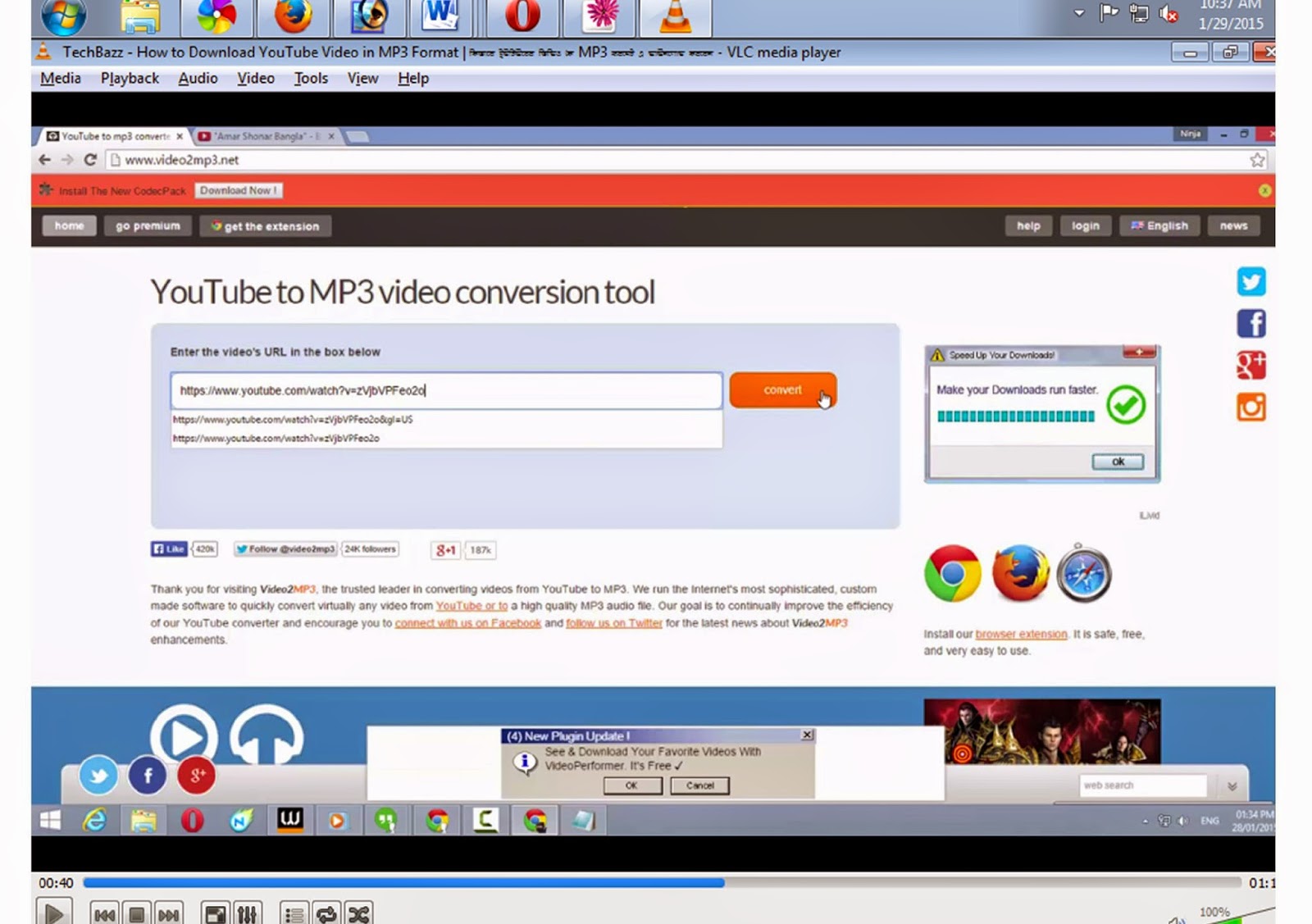
Now go to another tab of browser, then write an address in address bar, www.video2mp3.net and press Enter.
Now Paste your youtube video link in "Enter the Video's URL in the box below" what are copied before.
Then Press Convert.
Convert are processing....
Click Download you mp3 file.
Ok... you can now download youtube to mp3 song in this system.
Monday, January 26, 2015
Youtube Video Playing in VLC Player
Are u want to play Youtube video on VLC Player??
Have you problem with flash player??? Have not playing Youtube Video in your browser for flash???
You all saw the video on youtube or less, Especially those whose bradabrenda line to download from youtube seems more like the show directly.
Your choice vlc player. One of the advantages of watching youtube video with vlc player - there is no advertising burning pains.
Snapshots can pick any song or movie is very easy.
How u will show Youtube video on VLC player:
First Open your video on browser in youtube.com what will u show. then copy your URL Address:
Now open your VLC Player and click Media > open network stream ..
Now Paste your Copied youtube url in please enter network URL: box.
Now Click Play.
Youtube Video Download by VLC Player
Today I'll talk to you in a way that with VLC Media Player which you can Video Download from Youtube.
First go to Youtube and open your video and copy your URL Address
Now open your VLC Player and click Media > open network stream ..
Now Paste your Copied youtube url in please enter network URL: box.
Now Click Play,
Then click Tools menu, then click Codec Information
Look at the Location box. Copy this url address from location box and paste in any browser address bar. (for copy url click right button on url and click select all, again click right button on url and click copy)
Now this video will be play in this browser. Click Right button of mouse on the video then will show save video as, click save video as and download this video in your PC.
Subscribe to:
Posts (Atom)


.jpg)
.jpg)
.jpg)
.jpg)
.jpg)
.jpg)